Testing
The Testing tab, logging a test, reading your results, Gold Standards and testing on the free version.
Testing shows your strengths and weaknesses across finger strength, forearm endurance, strength and flexibility.
The Testing tab
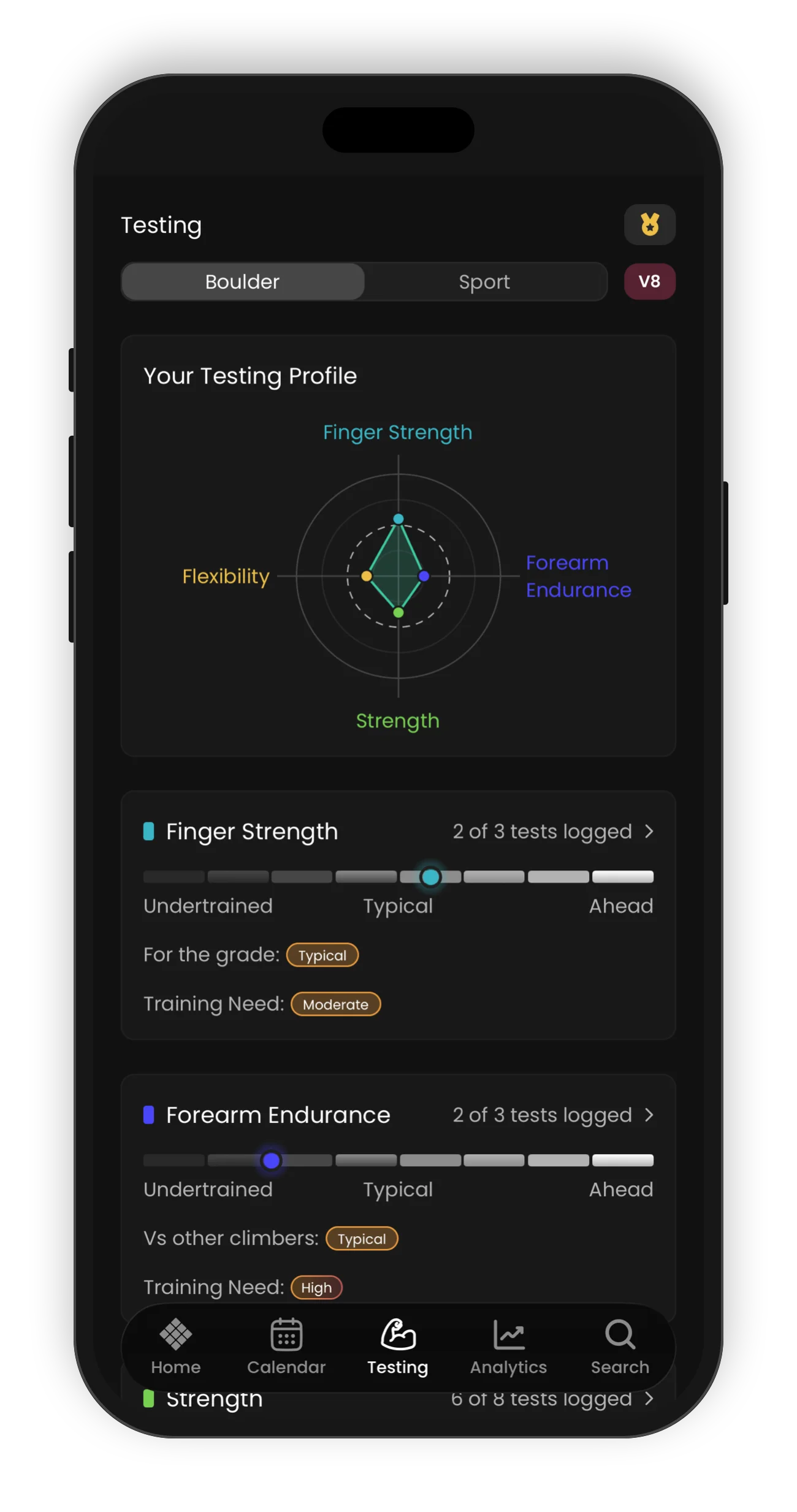
Tests show your strengths and weaknesses as a climber. Open the Testing tab to see your testing profile.
The chart at the top shows four areas: Finger Strength, Forearm Endurance, Strength and Flexibility. The dashed ring shows a typical result. Use Boulder and Sport to change the grade that we compare against.
Under the chart, each area has a card. The card shows how many tests you have logged, and a bar with three zones: Undertrained, Typical and Ahead. Each card also shows:
- For the grade: (Finger Strength) or Vs other climbers: (the other three areas). This shows if you are Undertrained, Typical or Strong.
- Training Need: from Very Low to Very High.
Tap a card to see each test in that area.
Logging a test
- On the Testing tab, tap an area, then tap a test.
- Tap Get Started. Look at the Checklist for the equipment you need, then read the Instructions.
- Tap Start Timer to use the timer, or Log Test to enter your result.
Each test uses its own unit: kg, % body weight, centimetres, seconds, reps or a level. For a level test, the app asks What level did you reach? Tap a picture to see it larger.
For a max load test, the log also shows your Total load. This is your body weight plus the heaviest added load in your completed sets. To change your body weight, open your Profile and tap Weight.
After you log a new test, the app opens the Testing tab with your new result.
You cannot do a full Lattice remote assessment in the app. You can do each of its tests on its own, on the Testing tab.
If you did a remote assessment with Lattice, its results come into the app. Each test shows in your workout history on the date you completed the assessment, with the note Result from your remote assessment. Results from the last 90 days count on the Testing tab. Results from older assessments, for example My Fingers, do not show in the app yet.
Reading your results
Each test shows a curve of results from other climbers, with your result on it. The labels under the curve show the range for each zone, for example 126 to 157% BW.
We compare Finger Strength tests with climbers at your grade. Use Current and Target to compare with your current max grade or your target grade. We compare the other three areas with all climbers.
We compare your results with climbers of the same gender, from the gender in your Profile.
If a test shows no comparison, the card tells you why. For example:
- Not logged in the last 90 days
- Add your bodyweight in Profile to compare this test
- Set your boulder grade to compare this test
For more detail, open the exercise for that test and tap Comparison. It shows your percentile, your most recent result, your personal best and the gap to the next grade.
Gold Standards
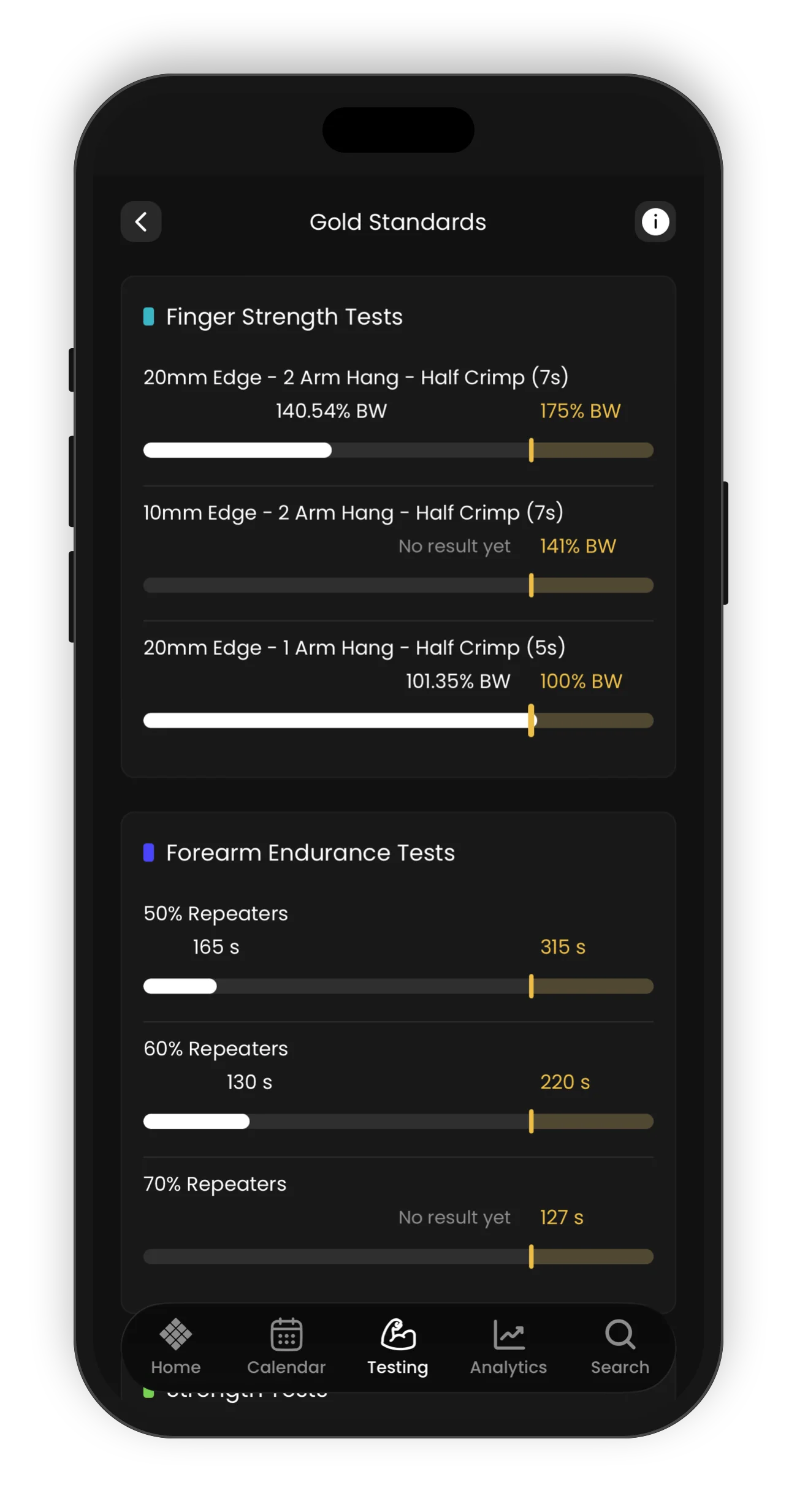
A gold standard is the point of diminishing returns for a test. We calculate it from the data of our elite athletes. Past this point, a better test result gives smaller gains in your climbing.
To see them, tap the gold icon at the top right of the Testing tab. Each bar shows your best result in white, and the gold standard as a gold mark. The bars do not start at zero. Each bar starts from a realistic starting point for that test.
Standards are set per gender. Tap the (i) icon for help on how to read them.
Testing on the free version
On the free version of the app, you can log one test: the 2 Arm Max Hang in Finger Strength. The other tests and the Comparison tab come with a LatticePlan or a coached plan. To unlock all tests, start a free trial.